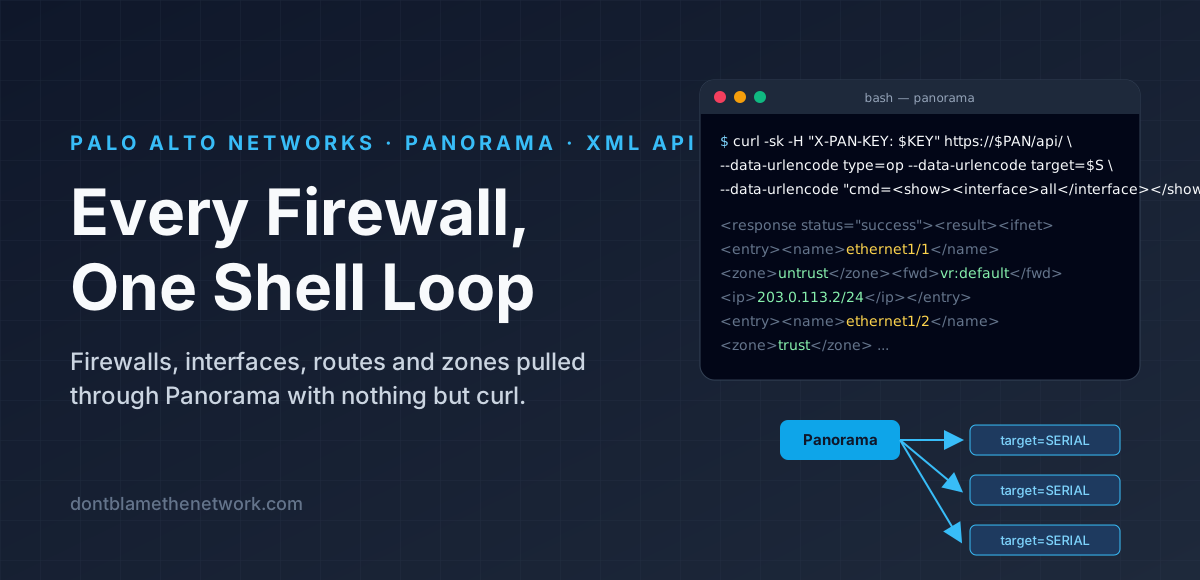
Panorama already knows everything about every firewall it manages. The trick is getting it out without clicking through forty tabs. This article pulls four things from a Palo Alto Panorama with nothing but curl and a shell: the list of managed firewalls, and then for each one its interfaces, its routing table and its zones. There is no SDK to install and no script to maintain; every step is one command you can paste, and the whole fleet is a loop at the end. If you want the background on how Panorama is organised first, see Templates & Template Stacks and Device Groups.
Conventions: commands are forbashon Linux or macOS.-ktellscurlto accept Panorama's certificate without checking it; drop it if your Panorama has a certificate your machine trusts. Values in CAPITALS are yours to fill in. Everything here is read-only.
How the requests flow
target are answered by Panorama itself; requests with it are forwarded to the firewall with that serial.Everything goes to one URL, https://PANORAMA/api/. Three parameters do the work: type says what kind of request it is (keygen, op for operational commands, config for the configuration tree), cmd carries the command in XML form, and target names the firewall serial that Panorama should forward the request to. Leave target off and Panorama answers for itself.
Step 1 — Point at your Panorama
Set the address and the admin username once; every later command reads them from these variables.
PAN=PANORAMA_HOST; PAN_USER=YOUR_USERNAMEStep 2 — Type the password without recording it
read -rsp prompts without echoing, and because the password never appears on a command line it never lands in your shell history.
read -rsp 'Panorama password: ' PAN_PW; echoStep 3 — Trade the password for an API key
The keygen request returns a key tied to your account. The command below extracts it with sed, forgets the password, and prints the first six characters so you can see it worked.
KEY=$(curl -sk https://$PAN/api/ --data-urlencode type=keygen --data-urlencode "user=$PAN_USER" --data-urlencode "password=$PAN_PW" | sed -n 's:.*<key>\(.*\)</key>.*:\1:p'); unset PAN_PW; echo "${KEY:0:6}..."If it prints only ..., run the same curl without the sed part and read Panorama's error. The usual cause is an admin role without XML API access: on Panorama, check Panorama > Admin Roles > your role > XML API and make sure at least Operational Requests and Configuration are enabled. The other common cause is a wrong password, which Panorama reports as Invalid Credential.
The key is sent as a header on every later request. Keys do not expire unless an administrator sets an API Key Lifetime under Panorama > Setup > Management > Authentication Settings, so treat the variable like a password and unset KEY when you are done.
Step 4 — List the firewalls
This is a Panorama-side command, so there is no target. The response has one <entry> per managed firewall with its hostname, management IP, model, PAN-OS version, connection state and HA role.
curl -sk -H "X-PAN-KEY: $KEY" https://$PAN/api/ --data-urlencode type=op --data-urlencode "cmd=<show><devices><all/></devices></show>" > firewalls.xmlTwo things to know about this list. It includes firewalls that are not currently connected (the <connected> element says no), and per-firewall requests to those will fail with Device not connected. And an HA pair appears as two entries, one per peer, so expect both. If you only want firewalls you can actually talk to, swap <all/> for <connected/>.
Step 5 — Pull out the serial numbers
Every per-firewall request is addressed by serial, so collect them into a file. Hardware serials are 12 digits and VM-Series serials are 15, which is why the pattern asks for six or more.
grep -oE 'entry name="[0-9]{6,}"' firewalls.xml | cut -d'"' -f2 > serials.txtStep 6 — Interfaces for one firewall
Now add target. Replace SERIAL with one from the list. This is the same output as show interface all on the firewall's own CLI, and it already answers the zone question: every logical interface carries its zone and its virtual router.
curl -sk -H "X-PAN-KEY: $KEY" https://$PAN/api/ --data-urlencode type=op --data-urlencode target=SERIAL --data-urlencode "cmd=<show><interface>all</interface></show>" > SERIAL-interfaces.xmlThe file has two lists. <ifnet> is the logical view: for each interface, <name>, <zone>, <ip>, and <fwd>, which reads vr:default for the virtual router (or N/A for an interface that is not routed). <hw> is the physical view: link state, speed, duplex and MAC, keyed by the same name. A quick way to eyeball it:
grep -oE '<name>[^<]+</name><zone>[^<]*</zone><fwd>[^<]*</fwd>' SERIAL-interfaces.xml | sed 's/<[^>]*>/ /g'Step 7 — Routes for one firewall
curl -sk -H "X-PAN-KEY: $KEY" https://$PAN/api/ --data-urlencode type=op --data-urlencode target=SERIAL --data-urlencode "cmd=<show><routing><route/></routing></show>" > SERIAL-routes.xmlEach <entry> is one route: virtual-router, destination, nexthop, interface, metric and a flags string. The flags use the same letters as the CLI, and the response includes a legend at the top: A active, C connected, S static, O OSPF, B BGP, E ECMP, and so on. Only routes with A are in the forwarding table.
If a firewall runs the Advanced Routing Engine (PAN-OS 10.2 and later, when enabled), the legacy command returns nothing useful. Swap the cmd for the advanced-routing form; the fields are the same shape, with logical-router in place of virtual-router.
--data-urlencode "cmd=<show><advanced-routing><route/></advanced-routing></show>"Step 8 — Zone definitions (optional)
Step 6 already tells you which zone every interface is in. Pull the zone objects themselves only if you also want the zone's settings: the zone type (layer 3, virtual wire, tap), its Zone Protection profile, User-ID settings and so on. Those live in the configuration tree rather than in operational output, so this is a type=config request with an xpath.
curl -sk -H "X-PAN-KEY: $KEY" https://$PAN/api/ --data-urlencode type=config --data-urlencode action=show --data-urlencode target=SERIAL --data-urlencode "xpath=/config/devices/entry/vsys/entry/zone" > SERIAL-zones.xmlPanorama forwards configuration reads to a firewall the same way it forwards operational commands, but I have not tested this on every PAN-OS release. If your version answers with an error, you have two fallbacks: the interface output from step 6 is enough for membership, and the zone objects are also in Panorama's own copy of the template. For the template route, drop target and point the xpath at the template instead:
--data-urlencode "xpath=/config/devices/entry[@name='localhost.localdomain']/template/entry[@name='TEMPLATE_NAME']/config/devices/entry/vsys/entry/zone"Step 9 — Every firewall at once
With the serials in a file, the per-firewall commands become a loop. This writes an interfaces file and a routes file for every serial, named after the serial so the files sort together.
for S in $(cat serials.txt); do for C in "interfaces:<show><interface>all</interface></show>" "routes:<show><routing><route/></routing></show>"; do curl -sk -H "X-PAN-KEY: $KEY" https://$PAN/api/ --data-urlencode type=op --data-urlencode target=$S --data-urlencode "cmd=${C#*:}" > "$S-${C%%:*}.xml"; done; doneEach request goes out one at a time, which is deliberate. Panorama relays every call to the firewall and waits for the answer, so a fleet of fifty firewalls takes a minute or two. Disconnected firewalls produce a small file containing an error response instead of data; grep -l 'status="error"' *.xml lists them.
Cleaning up
The key in $KEY is as good as your password until it is revoked or the lifetime expires, so clear it from the shell when you finish. If you want the key gone from the Panorama side too, change the account's password; keys are derived from it.
unset KEY PAN PAN_USERKey takeaways
Everything goes through one endpoint,https://PANORAMA/api/.type=keygenturns a username and password into a key you send asX-PAN-KEY. Requests withouttargetare answered by Panorama (show devices all); addtarget=SERIALand Panorama proxies the same command to that firewall.show interface allgives interfaces, zones and virtual routers in one call;show routing route(or theadvanced-routingform) gives the routing table. Collect serials once, loop, andunset KEYwhen you leave.
Found it useful, spotted a mistake, or done it differently? Start a thread. The link and title are filled in for you; Reddit will ask you to confirm before it posts.